Good fit if
What you want it to do
- A compatible TV whose existing apps no longer meet your needs.
- A viewer who wants the Fire TV interface and voice remote.
- A household ready to sign in to its own streaming accounts.
Check before you choose
When to pause
- 4K viewing depends on the television, content, service, and connection.
- Buying hardware does not include every streaming subscription.
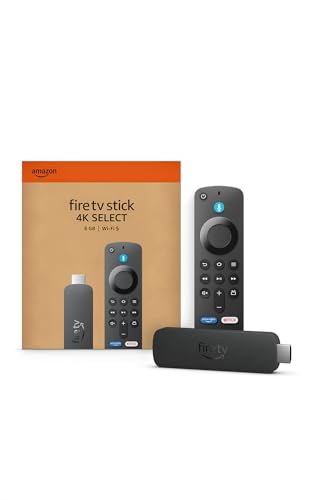
- Confirm the Select model rather than assuming Plus or Max specifications apply.
Check the TV before the streaming stick
Look for an available compatible HDMI input and a suitable power connection near the television. Then check the apps you actually watch. The useful upgrade is access to those services in a form you enjoy using. If the TV already runs them reliably, adding another remote may solve very little. A 4K label cannot improve the physical resolution of the television.
Diagnose buffering separately
A new streaming interface does not guarantee a stronger network connection behind the TV. Test the existing setup at the times you normally watch, and consider router placement if other devices struggle there too. Keep streaming accounts under the viewer's control when giving this as a gift. We have not benchmarked the Select against other Fire TV models, so this page does not assign a performance ranking.
Questions before you buy
Are streaming subscriptions included?
Do not assume they are. Review each service's current terms and any trial language separately from the hardware listing.
Is Select the same device as 4K Max?
No. They are separate model names. Compare the exact app, remote, and connectivity details on their respective listings.
Will this fix slow internet?
No. It uses your existing connection. Investigate weak Wi-Fi or a struggling internet connection before expecting new streaming hardware to solve buffering.