Good fit if
What you want it to do
- A household wanting scheduled on/off control for compatible lamps.
- Someone who can install the app and complete Wi-Fi setup.
- A home with several appropriate uses for four plugs.
Check before you choose
When to pause
- Check the load and usage limits in the plug and appliance instructions.
- Do not use remote switching for equipment that must not run unattended.
- This model needs 2.4 GHz Wi-Fi; no separate hub does not mean no network.
Test the lamp before automating it
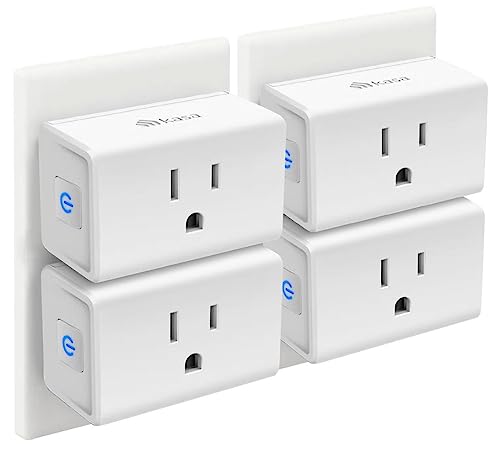
A smart plug switches power; it cannot necessarily operate an appliance's electronic controls. Check whether the intended lamp resumes the desired state after power is restored. Start with one accessible outlet so setup and a reset are straightforward, then add the other plugs once the first routine works. Name devices by room and purpose so people can recognize them in the app.
Buy a pack for a plan
Four plugs are useful when you can identify four safe applications, not simply four empty sockets. Confirm that Wi-Fi reaches each intended location and that the router offers the required band. Keep physical controls accessible for household members who do not use the app. We have not tested this pack's reliability or app behavior; the recommendation is to match the published requirements to a simple household job.
Questions before you buy
Does the EP10 need a separate hub?
No. It connects through Wi-Fi. It still needs the supported network and app setup.
Can the EP10 connect to 5 GHz Wi-Fi?
The EP10 specifications list 2.4 GHz Wi-Fi. Make sure that band is available and follow Kasa's setup instructions.
Will a smart plug make any appliance smart?
It provides power switching, not every appliance control. Check load limits, restart behavior, and the appliance manufacturer's instructions before using it.