The short answer: Buy the generation your devices can speak, and the Ethernet port your plan can fill. Wi-Fi 6 is the sensible default. Wi-Fi 6E adds a 6 GHz band that only 6E clients can use. Wi-Fi 7 adds a newer radio and, on the Archer BE230, 2.5G ports that help even when the phones are older. None of the three raises the speed of the internet plan.
The comparison below uses TP-Link's US pages for the Archer AX21, Archer AXE75, and Archer BE230, read on November 25, 2026. Rates are the physical rates those pages publish. They are not a speedtest result. Black Friday is November 27, 2026. Cyber Monday is November 30, 2026. A radio generation does not change over that weekend. The Black Friday and Cyber Monday hubs list the hardware. Curated picks is the index. The shorter "is it worth it" answer for Wi-Fi 7 is the BE230 and BE400 guide.
We did not lab-test these routers against each other.
Quick picks
| What you own | Buy | Leave on the shelf |
|---|---|---|
| Phones and laptops from the last several years, plan at or under a gigabit, small or medium home | AX21, Wi-Fi 6 | A 6 GHz router with no 6 GHz clients |
| At least one laptop or phone that lists Wi-Fi 6E, and the 5 GHz band is crowded | AXE75, Wi-Fi 6E | A Wi-Fi 7 router you cannot explain |
| Clients that list Wi-Fi 7, or a plan or a computer that can use a 2.5G port | BE230, Wi-Fi 7 | A Wi-Fi 6 router whose gigabit WAN would cap a multi-gig plan |
| Dead zones down a hall | Mesh or a better placement | A newer generation in the same closet |
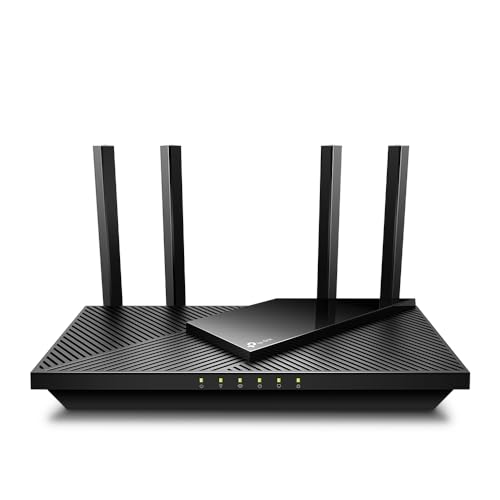 Check the current price on Amazon: TP-Link Archer AX21
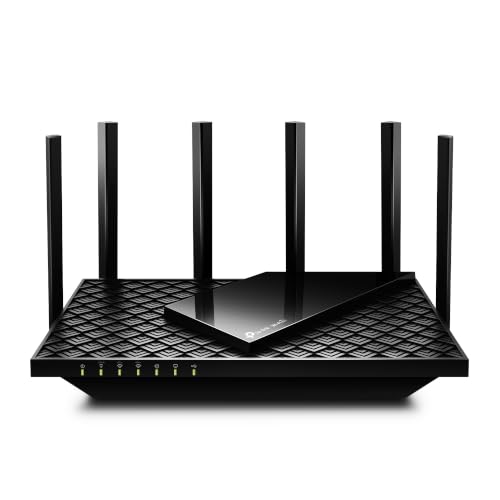 Check the current price on Amazon: TP-Link Archer AXE75
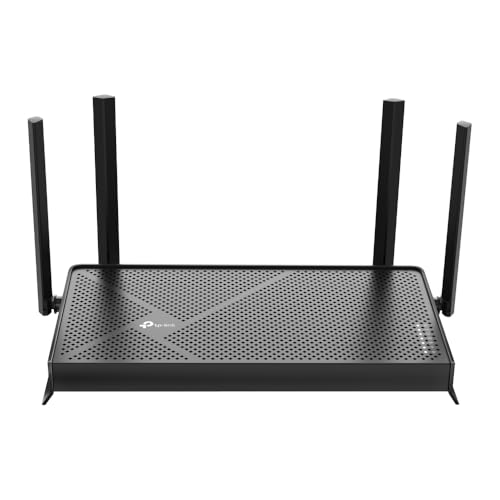 Check the current price on Amazon: TP-Link Archer BE230
The three radios, from the spec tables
| AX21 | AXE75 | BE230 | |
|---|---|---|---|
| Generation | Wi-Fi 6, dual-band | Wi-Fi 6E, tri-band | Wi-Fi 7, dual-band |
| Bands TP-Link lists | 5 GHz 1,201 Mbps, 2.4 GHz 574 Mbps | 6 GHz 2,402 Mbps, 5 GHz 2,402 Mbps, 2.4 GHz 574 Mbps | 5 GHz 2,882 Mbps, 2.4 GHz 688 Mbps |
| WAN | 1 gigabit | 2.5G WAN/LAN plus a 1G WAN/LAN | 2.5G WAN |
| Other Ethernet | 4 gigabit LAN | 3 gigabit LAN | 2.5G LAN and 3 gigabit LAN |
| USB | Not listed as a USB port on the spec table this desk used | USB 2.0 | USB 3.0 |
| Antennas | 4 | 6 | 4 |
| Mesh | EasyMesh | EasyMesh-compatible | EasyMesh-compatible |
TP-Link labels AX21 range as a three-bedroom class, AXE75 as two to three bedrooms, and BE230 as a three-bedroom class. Those labels are not a promise about your walls. Use them only to notice that none of these three is a whole-home mesh kit. If the house is large, the mesh guide comes before the generation debate.
Wi-Fi 6: the default
Wi-Fi 6 (802.11ax) is what most phones and laptops from recent years already speak. The AX21 puts that radio on both 2.4 and 5 GHz, with OFDMA, a gigabit WAN, and four LAN ports. TP-Link notes that Wi-Fi 6 features need clients that support them. An older phone still connects. It just does not gain the newer efficiency tricks.
For a cable plan around 500 Mbps, or a fiber plan at a gigabit, the AX21's WAN port matches the plan. The Xfinity and Spectrum guide starts here for that reason. You do not need a newer generation to "unlock" 500 Mbps. You need the gateway out of the way, the router in the open, and a WAN port that is at least gigabit.
Pros: widely compatible, enough for most plans, simpler. Cons: no 6 GHz escape hatch in a crowded building, and no multi-gig port if the plan later jumps past a gigabit.
Wi-Fi 6E: a new band, not a new miracle
Wi-Fi 6E is Wi-Fi 6 plus the 6 GHz band. The AXE75 is tri-band: 2.4, 5, and 6 GHz. TP-Link describes 6 GHz as spectrum that older devices are not already crowding. That description is the feature. A phone that is not Wi-Fi 6E never sees the band. It stays on 5 or 2.4, which the AXE75 still offers.
The AXE75 also brings a 2.5G port that can be WAN or LAN, plus a gigabit port that can also be WAN or LAN, and three more gigabit LAN ports. You can care about this router for the port even if you never join 6 GHz. Say that out loud before you buy it, so you know which feature you paid for. USB is 2.0 on this model. HomeShield's advanced features are a paid tier, in TP-Link's note. The basic router does not require that subscription. Do not confuse a security add-on with the radio.
6 GHz travels less well through walls than 2.4 GHz. In a small apartment it can be excellent next to the router and ordinary two rooms away. The apartment guide is the placement version of this page.
Pros: a cleaner band for new laptops, and a 2.5G port. Cons: the band sits idle without 6E clients, and the router is more than a one-bedroom on a modest plan needs.
Wi-Fi 7: newer clients, and a port that helps older ones
The BE230 is dual-band Wi-Fi 7, not tri-band. It does not add 6 GHz. Its published extras are the Wi-Fi 7 radio on 2.4 and 5 GHz, Multi-Link Operation, and the 2.5G WAN plus 2.5G LAN. TP-Link says MLO and the other Wi-Fi 7 features need clients that support them. A laptop from 2021 will not grow those features because the router has them.
The 2.5G ports are the part that helps a house with no Wi-Fi 7 devices. If the modem or the fiber terminal can hand you more than a gigabit, a gigabit WAN port is the ceiling. The BE230's WAN port is not. If you only have a 400 Mbps plan, that port is spare capacity, not a faster Tuesday night.
USB 3.0 on the BE230 can share a drive in the modes TP-Link lists. It is a convenience. The worth-it guide also discusses the Archer BE400 and refuses to invent that model's ports. This page does the same. If you want the BE400, read its listing. Do not copy the BE230's port list onto it.
Pros: a real multi-gig port pair, and headroom for Wi-Fi 7 clients you may already have in a new phone. Cons: dual-band means it is not the 6 GHz answer, and it is easy to overbuy.
What does not change
The plan's speed does not change. A modem that is the bottleneck does not change. A router in a closet covers the closet on every generation. Two routers at once, because a gateway was left in router mode, confuse every generation. WPA3 still needs clients that speak WPA3. A guest network is a software feature on all three of these models, not a reason to pick a generation.
If the problem is a dead room, stop comparing AX, AXE, and BE. Read the mesh page. If the problem is "which of these for Xfinity or Spectrum," the provider guide already maps 500 Mbps to the AX21 and a faster WAN to the BE230.
Pros and cons of chasing the newest logo
Pros of waiting for a generation you can use: you buy one router instead of two, and the port matches a plan you already ordered. Cons: a logo on a box does not move a dead zone, and a sale weekend tempts people to upgrade a network that was not the complaint. The complaint is often the laptop's Wi-Fi chip, the gateway, or the room.
Check the current price on Amazon after you know the model. A lower price on the wrong generation is still the wrong router.
Before you order
Open the Wi-Fi settings on the phone and the laptop you use most. The generation they list is the generation you can use. Then look at the plan's advertised speed and at the WAN port you have today. Pick the row in the table. Run the 90-second deal check so the listing is the AX21, the AXE75, or the BE230 and not a mesh multipack with a similar badge.
November 27 and November 30 are acceptable days to order that model. They are not a reason to skip the phone's spec line.
Frequently asked questions
Is Wi-Fi 7 better than Wi-Fi 6?
For a client that speaks Wi-Fi 7, yes, in range of the router. For a client that does not, the useful difference on the BE230 is the 2.5G Ethernet, and only if your plan or your computer can use it. Otherwise Wi-Fi 6 is the match.
Does Wi-Fi 6E replace Wi-Fi 7?
No. 6E adds 6 GHz to Wi-Fi 6. The BE230 is Wi-Fi 7 and, on TP-Link's page, dual-band. It is not a 6 GHz router. Pick 6E when the band is the goal. Pick this Wi-Fi 7 model when the clients or the 2.5G ports are the goal.
Will any of these make my internet plan faster?
No. They deliver what the modem or the fiber terminal already receives, to clients and cables that can carry it.
Do I need all three bands?
Only if you have devices for the third band and a reason to get off a crowded 5 GHz channel. A dual-band Wi-Fi 6 router is still the right router in a lot of homes.
Which one is best for a small apartment?
Usually the AX21. Read the apartment guide if the building's gateway is still in the path.
Does this page show prices?
No. Check the current price on Amazon.
Sources
- TP-Link Archer AX21, read November 25, 2026.
- TP-Link Archer AXE75, read November 25, 2026.
- TP-Link Archer BE230, read November 25, 2026.
- Is a Wi-Fi 7 router worth it?
- Black Friday and Cyber Monday