The short answer: Move the router before you add hardware. If one distant room is the only problem and you can place a unit halfway, a range extender can be enough. If several rooms are weak, or people walk through the house on calls, a mesh system with one network name is the better tool. The RE315's Ethernet port is 100 Mbps, so it is a poor wired backhaul. The Deco X55's ports are gigabit.
TP-Link's Deco X55 and RE315 pages were read on November 25, 2026. The eero 6+ on this site is the Wi-Fi 6 mesh 3-pack already in the catalog. This desk is not inventing eero's port count. Confirm that on the listing. Black Friday is November 27, 2026. Cyber Monday is November 30, 2026. Coverage does not change because the calendar does. See Black Friday, Cyber Monday, and curated picks.
We did not walk a house with a signal meter.
Quick picks
| The floor plan | Start here | The catch |
|---|---|---|
| One room is weak, and you can plug a unit where the current signal is still strong | TP-Link RE315 | The Ethernet port is 10/100, not gigabit. Wireless rates are AC1200 class |
| Several rooms are weak, and you want one Wi-Fi name | Deco X55 3-pack, or eero 6+ 3-pack | A 3-pack is a lot of hardware for a small apartment. Read the apartment guide |
| You can run Ethernet to the weak room | A mesh unit or an access point on that cable | Wired backhaul beats a wireless hop. The RE315's 100 Mbps port wastes a gigabit cable |
| The router is in a closet and the living room is on the other side of one wall | Move the router | No extender fixes a router you could have moved |
| The provider gateway is also routing | Fix that first | Adding mesh behind a second router stacks problems. The home network guide is the order |
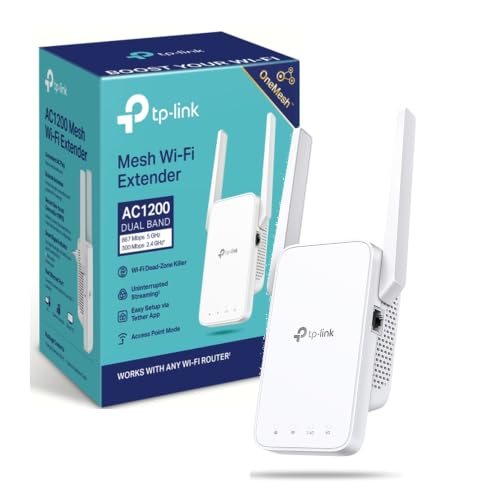 Check the current price on Amazon: TP-Link RE315
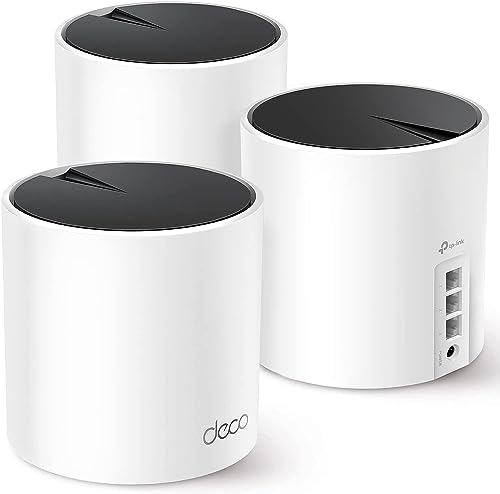 Check the current price on Amazon: TP-Link Deco X55 3-pack
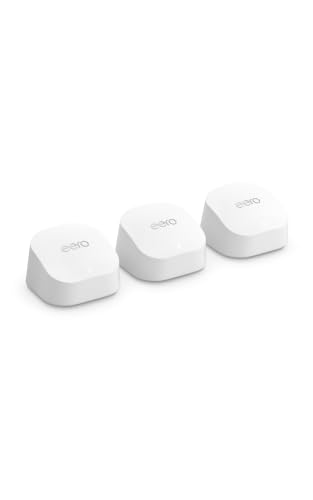 Check the current price on Amazon: Amazon eero 6+ 3-pack
What an extender does
The RE315 is an AC1200 dual-band extender: 300 Mbps on 2.4 GHz and 867 Mbps on 5 GHz, as TP-Link's physical rates. It has two external antennas, a WPS button, and one 10/100 Mbps Ethernet port. Working modes are range extender and access point. TP-Link says it can join an EasyMesh router for a single network name and roaming, and that it also works with other Wi-Fi routers, with a caveat about unusual firmware. A light on the unit is meant to show whether you placed it too far from the router.
That 100 Mbps Ethernet port is the fact that should stop a casual "I'll wire it" plan. If you put the RE315 in access-point mode on a gigabit cable, the port still tops out at 100 Mbps. A laptop plugged into it tops out there too. For a distant room where people only browse, 100 Mbps can be enough. For a TV that is the whole point of a gigabit plan, it is the wrong adapter.
A classic extender that is not meshed repeats a signal and often creates a second network name. You pick the network when you walk into the room. TP-Link's EasyMesh path is how this particular extender tries to avoid that, and only with an EasyMesh router. An AX21 or a BE230 is EasyMesh-capable on TP-Link's router pages. An ISP gateway usually is not. If your router is the gateway, assume the RE315 will behave as a normal extender unless you have confirmed otherwise.
Pros: small, one extra plug, useful for one weak room. Cons: a wireless hop shares airtime, the Ethernet port is not gigabit, and placement is fussy. Too close to the router and you have not extended anything. Too far and the light tells you the backhaul is weak, so every client on that node is weak.
What mesh does
The Deco X55 page lists an AX3000 Wi-Fi 6 system: 2,402 Mbps on 5 GHz and 574 Mbps on 2.4 GHz per the spec table. Each unit has three gigabit ports that auto-sense WAN and LAN. A 3-pack includes three units, three power adapters, and one Ethernet cable. TP-Link says a 3-pack covers up to 6,500 square feet and a 2-pack up to 4,500, and labels the 3-pack for four to six or more bedrooms. Those are manufacturer coverage claims under their test conditions. Your plaster, brick, and mirrors will not match the claim. Use the square footage as a reason to avoid a 3-pack in a studio, not as a guarantee for a long ranch house.
Deco units are meant to share one network name and hand a phone off as you walk. Ethernet backhaul is optional and is the right upgrade when you can wire a node. Because the ports are gigabit, that backhaul can actually carry a gigabit plan. Router mode and access-point mode are both listed, so a Deco can sit behind a gateway that you have set to bridge, or it can replace the Wi-Fi while the gateway still routes, if you use access-point mode correctly. Read the app's steps. Do not create two routers by accident.
The Amazon eero 6+ 3-pack is the other mesh kit this site already links. The catalog describes it as a Wi-Fi 6 mesh system with a simple app. That is the claim this page will repeat. Port counts, wired backhaul rules, and whether a single eero 6+ extender can join an existing eero network belong on the listing and on Amazon's setup page. There is a separate eero 6+ extender ASIN in the catalog. Do not assume a lone extender replaces a 3-pack, and do not assume it works without an eero network. Open the listing.
Pros of mesh: one name, roaming, and, on the Deco, gigabit ports for a wired hop. Cons: you are replacing or layering the Wi-Fi system, the 3-pack is more hardware than one dead corner needs, and wireless backhaul still spends airtime talking to itself. A wired hop is how you spend the money well.
The larger-home mesh guide is the page when the house, not a corner, is the problem. This page is the fork in the road before that purchase.
A third option: powerline
If Wi-Fi cannot cross the floor but the electrical circuit can, a powerline kit sends Ethernet over the wiring. This site already lists the TP-Link TL-PA7017 kit for that job. It is not magic. It hates surge strips, and it is unreliable across some breaker panels. It is worth knowing about before you buy a second mesh kit for a room that already has an outlet on the same panel. Confirm the kit's speed class on the listing. This page does not invent a throughput number for it.
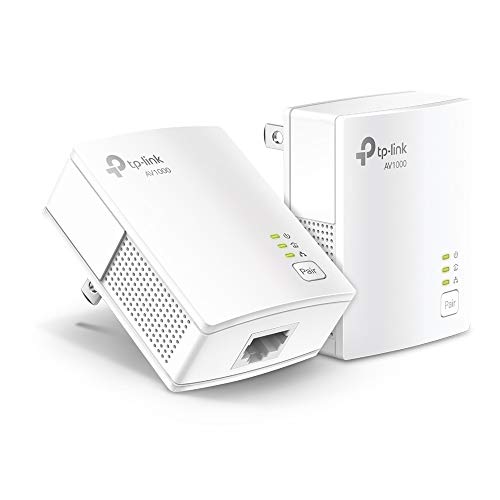 Check the current price on Amazon: TP-Link TL-PA7017 kit
How to choose without a floor-plan drawing
Walk the house with a phone on a call, or start a video and keep walking. Note the doorway where it fails. That doorway is the placement clue.
- Failure in one room, strong signal in the hall outside it: try moving the router first. If you cannot, an extender in the hall is the small tool.
- Failure in several rooms, or the call drops as you walk: mesh, preferably with Ethernet to at least one node.
- Failure everywhere, including next to the router: the router is not the coverage problem. Test a wired device at the modem. The plan, the modem, or the gateway is the bottleneck. Read routers by speed.
- Failure only on the patio: an indoor extender will not become an outdoor access point. This site lists the EAP225-Outdoor for that job. Confirm power-over-Ethernet needs on the listing before you buy it.
Generation is a separate question. A Deco X55 is Wi-Fi 6. An RE315 is Wi-Fi 5 (802.11ac). Extending a Wi-Fi 6 router with a Wi-Fi 5 extender means the far room speaks the older standard. That can still be the right trade for email and music. It is the wrong trade if the far room is where someone games on a new laptop. The generation guide helps when the radio, not the distance, is the debate.
Pros and cons, side by side
Extender pros: one inexpensive unit, fast to try, removable. Extender cons: 100 Mbps Ethernet on the RE315, possible second network name, and a hop that cuts throughput.
Mesh pros: one name, better roaming, gigabit ports on the Deco X55. Mesh cons: more boxes, more setup, and a temptation to overbuy for a small home.
Either one is the wrong purchase if the gateway is still routing and you have not decided which device is in charge. Either one is the wrong purchase if you have not tried a better router location that the cable already allows.
Before you order
Draw the one sentence: "The weak spot is ____, and the nearest strong spot is ____." If you cannot name both, you are not ready to buy. Then pick the RE315 or a mesh 3-pack from the table. Run the 90-second deal check. Check the current price on Amazon.
November 27 and November 30 do not move your router closer to the sofa. If you already know which room fails, those days are reasonable times to order the matching hardware. If you do not, use the weekend to walk the house, not to guess a pack size.
Frequently asked questions
Is mesh better than a range extender?
Mesh is the better tool when several rooms are weak or people move around on calls. An extender is enough for one weak room when you can place it in a strong signal. The RE315 is that smaller tool, with a 100 Mbps Ethernet port.
Can I wire the RE315 for full gigabit speed?
No. TP-Link lists one 10/100 Mbps port. A gigabit cable cannot make that port gigabit. Use a Deco unit, or another access point with a gigabit port, if the wire is the plan.
Do Deco units need Ethernet between them?
No. Wireless backhaul works. Ethernet backhaul is optional and is the stronger setup when you can run the cable. Each Deco X55 has three gigabit ports.
Will a mesh system raise my internet plan speed?
No. It spreads the speed you already have. If a wired test at the modem is slow, fix that before you add nodes.
Is a 3-pack right for an apartment?
Usually it is too much. Start by placing one router well. Add hardware only for a room that is still dead.
Does this page show prices?
No. Check the current price on Amazon.
Sources
- TP-Link Deco X55, read November 25, 2026.
- TP-Link RE315, read November 25, 2026.
- Mesh for larger homes
- Black Friday and Cyber Monday