The short answer: In most apartments the router is already close to every room. Buy for the plan's speed and for noisy neighbors, not for a three-pack mesh kit. A Wi-Fi 6 router with a gigabit WAN port, such as the TP-Link Archer AX21, fits a typical 300 to 500 Mbps plan. Step up to the Archer BE230 when you have multi-gig service or you specifically want its 2.5G ports. Skip a mesh kit until one room is actually dead.
TP-Link's US pages for these models were read on November 25, 2026. Wireless rates on those pages are physical-layer rates, not the speedtest number you will see. Black Friday is November 27, 2026. Cyber Monday is November 30, 2026. Amazon has not published a longer U.S. deal window. The lists are on Black Friday and Cyber Monday. Curated picks is the index.
We did not survey an apartment building. Walls and the provider gateway still decide the result.
Quick picks
| The apartment | Start here | Why |
|---|---|---|
| One floor, a few rooms, plan around 500 Mbps or less, router can sit in the open | Archer AX21 | Gigabit WAN, four gigabit LAN ports, dual-band Wi-Fi 6 |
| The building's service can exceed a gigabit, or you want a 2.5G port for a computer | Archer BE230 | 2.5G WAN, 2.5G LAN, three gigabit LAN ports, USB 3.0, dual-band Wi-Fi 7 |
| You own phones or laptops that can use 6 GHz and the unit is not huge | Archer AXE75 | Tri-band Wi-Fi 6E, a 2.5G WAN/LAN port, and a separate gigabit WAN/LAN port |
| One bedroom at the end of a long railroad layout still drops | Move the router first | A mesh node or a wired backhaul is the next step, not a louder radio in the same closet |
| The provider gateway is still broadcasting Wi-Fi | Bridge it or live with it | A second router behind a routing gateway makes two networks |
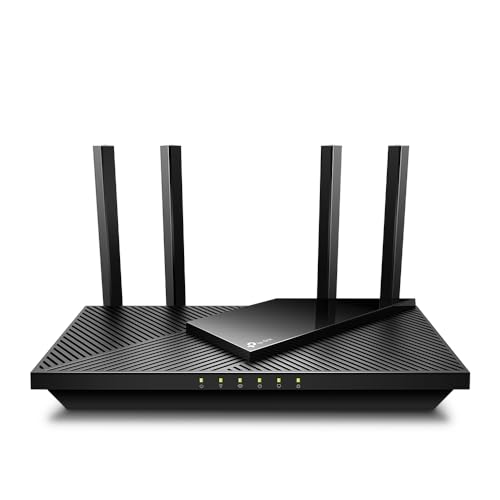 Check the current price on Amazon: TP-Link Archer AX21
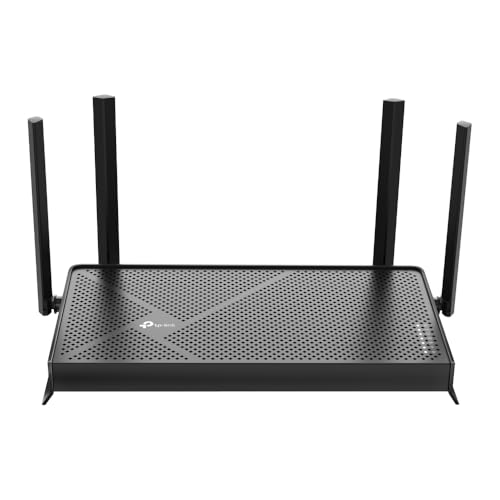 Check the current price on Amazon: TP-Link Archer BE230
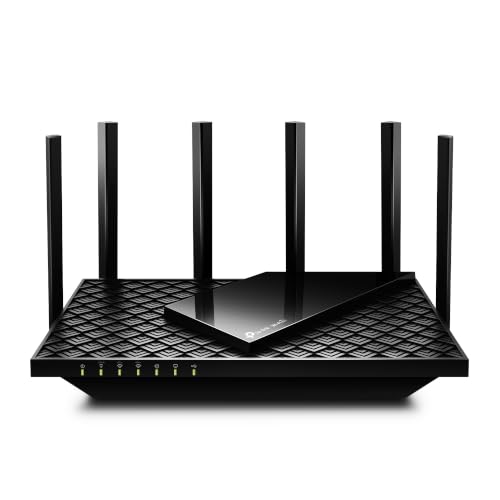 Check the current price on Amazon: TP-Link Archer AXE75
Why apartments are a different problem from houses
A house guide worries about distance. An apartment guide worries about three other things.
The first is the gateway. If the building or the provider handed you a modem that also broadcasts Wi-Fi, adding a new router without bridging the gateway gives you two network names and a lot of "the internet is weird" complaints. The Xfinity and Spectrum guide walks through that choice for those cable providers. Other providers have their own bridge steps. This page does not invent the menu clicks.
The second is congestion. Dozens of networks show up in a scan because dozens of neighbors own routers. A new router does not remove their signals. It can use a cleaner band if your devices support it. That is the only honest reason to care about 6 GHz in a small unit. The 6 GHz band is less crowded because older devices are not on it. Those older devices also cannot use it. The generation guide is the longer version of that sentence.
The third is the lease and the wiring. You can usually replace a router. You cannot usually run cable through a hallway you do not own. A mesh system that needs Ethernet backhaul is a hard project in a rental. A wireless mesh kit for 6,500 square feet is the wrong shape for 700 square feet. The mesh or extender guide explains when a single extra node is worth it.
The AX21, in TP-Link's words
The Archer AX21 page lists an AX1800 dual-band Wi-Fi 6 router: 1,201 Mbps on 5 GHz and 574 Mbps on 2.4 GHz, as physical rates. Hardware is one gigabit WAN port and four gigabit LAN ports. TP-Link labels the range class as three-bedroom houses. That label is their coverage class, not a floor plan of your building. Four fixed antennas, beamforming, EasyMesh support, router mode, and access-point mode are on the spec table. Guest networks exist on both bands. WPA3 is listed, and TP-Link notes that clients also have to support it.
For an apartment on a plan at or under a gigabit, the WAN port is not the bottleneck. Placement is. Put the router in the room where people actually use Wi-Fi, not in a media cabinet at the end of a corridor, if the cable can reach. Access-point mode matters when a gateway must stay in charge and you only want better Wi-Fi. EasyMesh matters later, if you add a compatible extender. You do not need EasyMesh on day one.
Pros: simple, gigabit, and enough radio for a small home. Cons: no 2.5G port, no 6 GHz, and no amount of Wi-Fi 6 raises a 300 Mbps plan.
The BE230, when the port is the point
The Archer BE230 page lists a BE3600 dual-band Wi-Fi 7 router: 2,882 Mbps on 5 GHz and 688 Mbps on 2.4 GHz, again as physical rates. Ports are one 2.5 Gbps WAN, one 2.5 Gbps LAN, three 1 Gbps LAN, and one USB 3.0 port. TP-Link says Wi-Fi 7 features such as Multi-Link Operation need clients that support them. Four external antennas. EasyMesh-compatible. Router mode and access-point mode. TP-Link's range label on this page is also a three-bedroom class.
Buy it in an apartment when at least one of these is true: the internet plan can deliver more than a gigabit, a desktop should sit on a 2.5G port, or you already own Wi-Fi 7 phones and you want that radio in a small space. Do not buy it because the box says 7 and the AX21 says 6. In a 500 Mbps studio the AX21's gigabit WAN already exceeds the plan.
USB 3.0 is for a drive on the router, in the modes TP-Link lists. It is not a NAS strategy and it is not a reason to pick the router.
Pros: the 2.5G ports are real, documented hardware, useful on fast fiber. Cons: Wi-Fi 7 does nothing for a phone that only speaks Wi-Fi 6, and the router is more than a small plan needs.
The AXE75, when 6 GHz is the point
The Archer AXE75 page lists an AXE5400 tri-band Wi-Fi 6E router: 2,402 Mbps on 6 GHz, 2,402 Mbps on 5 GHz, and 574 Mbps on 2.4 GHz. Ports are one 2.5 Gbps WAN/LAN port, one 1 Gbps WAN/LAN port, and three 1 Gbps LAN ports, plus a USB 2.0 port. Six antennas. TP-Link's range label is two to three bedrooms. EasyMesh-compatible. The 6 GHz band needs 6E clients. TP-Link also notes that not every 160 MHz channel is available in every region.
This is the apartment router when a laptop or phone can join 6 GHz and the 5 GHz band is a parking lot of neighboring networks. It is a wasted band if every client in the unit is older. USB on this model is USB 2.0, not the BE230's USB 3.0. Do not mix those up if a shared drive is part of the plan.
Pros: a cleaner band for new clients, and a 2.5G port. Cons: three radios in a small unit can be more hardware than the rooms require, and 6 GHz does not punch through as many walls as 2.4 GHz. In an apartment you usually do not need it to.
What to skip
Skip a three-pack mesh as the default apartment upgrade. Skip a range extender before you move the router and before you check that the gateway is not the thing still routing. Skip buying a cable modem until the provider's list says an owned modem is allowed. The modem guide is that check.
Skip Wi-Fi 7 as a gift for a household whose phones are several years old and whose plan is a few hundred megabits. The Wi-Fi 7 worth-it guide reaches the same conclusion with the BE230 and the BE400.
If the building's Wi-Fi is the only internet and you are not allowed your own line, a travel router can join that network and make a private one behind it. That is a different product. The Starlink and travel-router discussion covers the GL.iNet travel router in a different setting. Read the lease before you tunnel around building Wi-Fi. Some networks forbid it.
Before you order
Stand where the router can legally sit. Run a wired speed test if you can, so you know the plan before you blame the radio. Confirm bridge mode if a gateway is in the path. Then pick the AX21, the BE230, or the AXE75 from the table. Run the 90-second deal check. Check the current price on Amazon. The home network guide is the order of operations if you are not sure the router is the weak link.
The calendar does not remodel the apartment. November 27 and November 30 are fine days to buy a router you have already matched to the plan. They are poor days to guess.
Frequently asked questions
What is the best Wi-Fi router for an apartment?
For a small plan and a small floor plan, start with the Archer AX21. Use the BE230 when you need a 2.5G port or Wi-Fi 7 clients. Use the AXE75 when you need 6 GHz. Move the router before you add mesh.
Do I need a mesh system in an apartment?
Usually no. Mesh helps when a room is far from the router. In one compact unit, a better placement of one router is the first fix. Read the mesh guide if a long layout still has a dead room.
Will a Wi-Fi 7 router make my apartment internet faster?
Only up to the plan, and only for clients and ports that can use the extra. A 300 Mbps plan stays a 300 Mbps plan.
Should I turn off the provider's Wi-Fi?
If you add your own router, yes, by using the provider's bridge or gateway mode so only one device routes. Two Wi-Fi networks in one apartment are a common cause of flaky connections.
Does this page show prices?
No. Check the current price on Amazon.
Did you test these in an apartment?
No. The port counts and radio classes come from TP-Link's pages. Coverage still depends on the unit.
Sources
- TP-Link Archer AX21, read November 25, 2026.
- TP-Link Archer BE230, read November 25, 2026.
- TP-Link Archer AXE75, read November 25, 2026.
- Best router for Xfinity and Spectrum
- Black Friday and Cyber Monday