The short answer: Start with the job, not the brand. A SwitchBot Bot presses a button you can already reach. A Hub Mini is the small bridge for remote control, infrared remotes, and voice assistants, and it uses 2.4 GHz Wi-Fi only. A Curtain 3 moves a curtain, and a pair is required when the curtains meet in the middle. A hub is extra for voice, not for the first local press.
SwitchBot's own pages, read on November 25, 2026, are the source for the specs below. This guide does not copy a shop price. The SwitchBot page on this site opens the merchant selection. Black Friday is November 27, 2026. Cyber Monday is November 30, 2026. Neither date changes whether a Bot fits a switch. The seasonal lists are the Black Friday watchlist and Cyber Monday. Curated picks is the index if you are still choosing a category.
We did not install these devices. Fit is a measurement you make on the switch, the rod, or the Wi-Fi band.
Quick picks
| The job | Start here | The limit |
|---|---|---|
| Press one rocker or button while you are home | SwitchBot Bot, no hub yet | Bluetooth nearby. Voice and away-from-home control need a hub |
| Turn an infrared remote (air conditioner, TV) into an app control, or reach a Bot from outside | Hub Mini | 2.4 GHz Wi-Fi only. USB power, Micro-USB, 5 V |
| Open and close curtains on a rod or a U rail | Curtain 3, rod or U-rail version | Two units if the curtains open in the middle. Voice needs a hub |
| A lamp, not a physical switch | A smart plug, not a Bot | Read the Kasa and Amazon plug guide |
SwitchBot Bot
SwitchBot describes the Bot as a stick-on actuator for a rocker switch or a button. The add-on in the box lets one Bot push and pull a rocker. Installation is tape, not a rewire. That is the advantage and the limit. You are not replacing the electrical switch. You are parking a small arm beside it.
Specs read from SwitchBot's Bot page:
- Modes: Switch mode and Press mode.
- Arm movement up to 120 degrees.
- Pressing strength up to 8 N, and maximum torque up to 1.15 kgf, as SwitchBot states it.
- Power: one CR2 battery. SwitchBot states about 600 days at 25 C if it runs twice a day. That is their figure, not a runtime this desk measured. Heat, extra presses, and a stiff switch will change it.
- Bluetooth 4.2 or higher. SwitchBot states about 80 m (260 ft) line of sight under ideal conditions, and less with walls.
- App support listed as Android 4.3 or later and iOS 14 or later.
- Voice assistants and IFTTT are listed when the Bot is paired with a Hub Mini.
Pros: no wiring, and the light switch stays a light switch if you remove the Bot. Cons: it needs physical room beside the control, a recessed switch may not have that room, and a garage door or an air conditioner is only a candidate if the control is a button the arm can actually press. SwitchBot's page names those appliances as examples. The example is not a compatibility certificate. Look at the control.
Schedules can be set in the app. Remote access from outside the house, and Alexa or Google voice control, are the hub's job. Buy the Bot first if you can stand next to the switch and test the arm. Buy the hub in the same order only if you already know you need voice or away-from-home control.
Hub Mini
The Hub Mini is a gateway, not a button pusher. SwitchBot lists these facts:
- 2.4 GHz Wi-Fi only. A 5 GHz-only network will not run it.
- USB power at 5 V, 1 A or 2 A, with a Micro-USB terminal.
- Size 65 by 65 by 20 mm, weight 36 g.
- Infrared learning, so it can mimic an existing remote. SwitchBot describes that learning step as a few seconds.
- Works with Alexa, Google Assistant, Siri, and IFTTT, in SwitchBot's wording.
- One SwitchBot account can hold more than one hub.
- SwitchBot states a 1-year warranty on this product.
- SwitchBot's FAQ states about 159 kB of traffic per hour, and a daily estimate of that figure times the number of Bluetooth devices times 24. Treat that as their network note, not a bill estimate from this desk.
Pros: one small box unlocks remote control for Bots and learns infrared remotes you already own. Cons: it does nothing useful in a drawer, it needs the 2.4 GHz band left on, and it is a second device to place within Bluetooth range of the Bot and Wi-Fi range of the router. A mesh system that steers everything to 5 GHz can strand it. During setup, make sure the phone and the hub can see 2.4 GHz.
The Hub Mini is not the Hub 2. Matter and Apple Home for the Curtain 3 are tied to the Hub 2 on SwitchBot's Curtain page. Do not buy a Hub Mini and expect HomeKit.
Curtain 3
Curtain 3 is a motor that clips to a curtain, not a Bot pointed at a wand. SwitchBot lists two hardware shapes. The rod version is 78 by 71 by 205 mm. The U-rail version is 66 by 51 by 173 mm. Weight is 280 g. Buy the shape that matches the track. A rod unit on a U rail is the wrong part.
Other facts from the same page:
- SwitchBot says the rod version can move heavy curtains up to 15 kg. That is their thrust claim. A bent rod or a curtain that sticks will still stall a motor.
- An extendable rod whose extendable section is under 5/8 inch is called out as not compatible. Measure that section before you order.
- Center-opening curtains need two units. One motor cannot pull both sides.
- The app can open, close, and set a percentage, and it can run schedules. A review on the product page is not evidence. The product text itself separates app control from voice control.
- Voice through Alexa, Google Home, SmartThings, Siri Shortcuts, and IFTTT needs a SwitchBot Hub, sold separately.
- Matter and Apple Home need the Hub 2, also sold separately.
- Normal mode is listed up to 45 dB. QuietDrift mode is listed at 25 dB. SwitchBot compares the normal figure to a library. Bedrooms should assume you want the quieter mode, then confirm it in the app after install.
- Charging is USB-C. A solar panel is a separate accessory. SwitchBot says the Curtain 3 port is USB-C and that an older Curtain solar panel can be used if it stays firmly attached. Do not plan on solar unless you buy the panel and have a window that actually hits it.
Pros: the curtain stays your curtain, and schedules can run from the app without a hub. Cons: measurement is the whole purchase, two units double the hardware for center-split drapes, and a hub is a third purchase if you want voice. Installation uses positioning magnets. SwitchBot says they keep the stop point from drifting. Budget time to place them. If the magnets are wrong, the curtain can stop short and leave a gap of light.
What not to buy first
Do not buy a Bot to "make the house smart" when the real request is a lamp on a timer. A plug is simpler. Do not buy a Curtain 3 for blinds unless you have confirmed the product is the curtain robot and not a blind-tilt motor. This page does not cover a blind-tilt model because this desk did not read a separate blind-tilt spec sheet on this pass.
Do not buy three products because a bundle looks complete. A Bot you can test in the room is a finished project. A Bot, a hub, and a curtain robot on the same day is three installs. The beginner smart-home guide is the calmer on-ramp if the person has never paired a device.
A SwitchBot is also the wrong gift when the recipient has asked for no more apps. The hardware is cheap to describe and annoying to own if nobody opens the app after the first week.
Pros and cons of starting with SwitchBot at all
Pros: you keep the switch, the curtain, and the remote you already have. You are not replacing a wall box. Cons: each extra feature (voice, away-from-home, Matter) adds a hub, and the hub has a Wi-Fi rule. A renter who cannot tape a device to a switch should skip the Bot. A curtain on a track outside the stated sizes should skip the Curtain 3.
If the job is a camera or a doorbell, this is the wrong brand page. Compare Blink and Ring instead. If the job is a smoke or carbon-monoxide alarm, read the X-Sense alarm guide. An actuator does not detect smoke.
Before you order
Measure the switch clearance, the rod diameter, or confirm that 2.4 GHz Wi-Fi exists in that room. Then open the SwitchBot page and match the product name to Bot, Hub Mini, or Curtain 3. If the job was a lamp, use the Kasa or Amazon plug instead and check the current price on Amazon for that listing. Run the 90-second deal check. The SwitchBot price stays on the merchant page. This guide does not publish it.
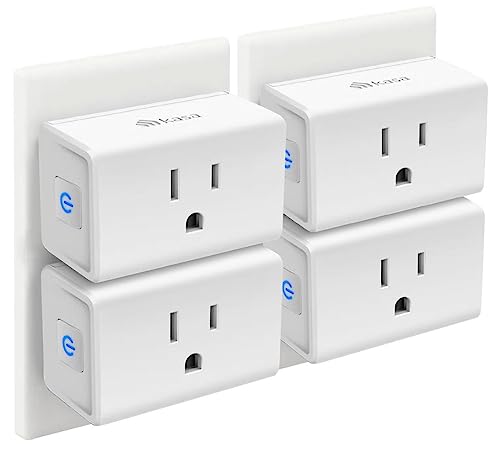 Check the current price on Amazon: Kasa Smart Plug Mini EP10, 4-pack
The weekend of November 27 and the Monday of November 30 do not change a rod diameter. If the curtain is a gift, measure before the calendar, not after.
Frequently asked questions
What is a SwitchBot?
SwitchBot is a line of add-on devices. The Bot presses an existing switch. The Hub Mini connects those devices to Wi-Fi and can learn infrared remotes. The Curtain 3 moves a curtain. They are not interchangeable.
Does the SwitchBot Bot work without a hub?
Yes for nearby control in the SwitchBot app over Bluetooth. SwitchBot ties Alexa, Google, and away-from-home control to a hub. The Bot page names the Hub Mini for assistants.
Does the Hub Mini work on 5 GHz Wi-Fi?
No. SwitchBot says the Hub Mini supports 2.4 GHz Wi-Fi only. Leave that band available during setup.
Do center-opening curtains need two Curtain 3 units?
Yes. SwitchBot says so on the Curtain 3 page. One unit is for one side.
Does Curtain 3 include Apple Home?
Not by itself. SwitchBot says Matter and Apple Home need a Hub 2, sold separately. A Hub Mini is not that hub.
Does this page list SwitchBot prices?
No. Check the current price on the merchant page the button opens.
Sources
- SwitchBot Bot, read November 25, 2026.
- SwitchBot Hub Mini, read November 25, 2026.
- SwitchBot Curtain 3, read November 25, 2026.
- SwitchBot page on this site
- Black Friday and Cyber Monday